FAQ
Short answers, with a longer guide behind each one
20 questions we see most often, answered in a paragraph. Each links to the full guide where the details and sources live.
01What does the Cronus Zen actually do?
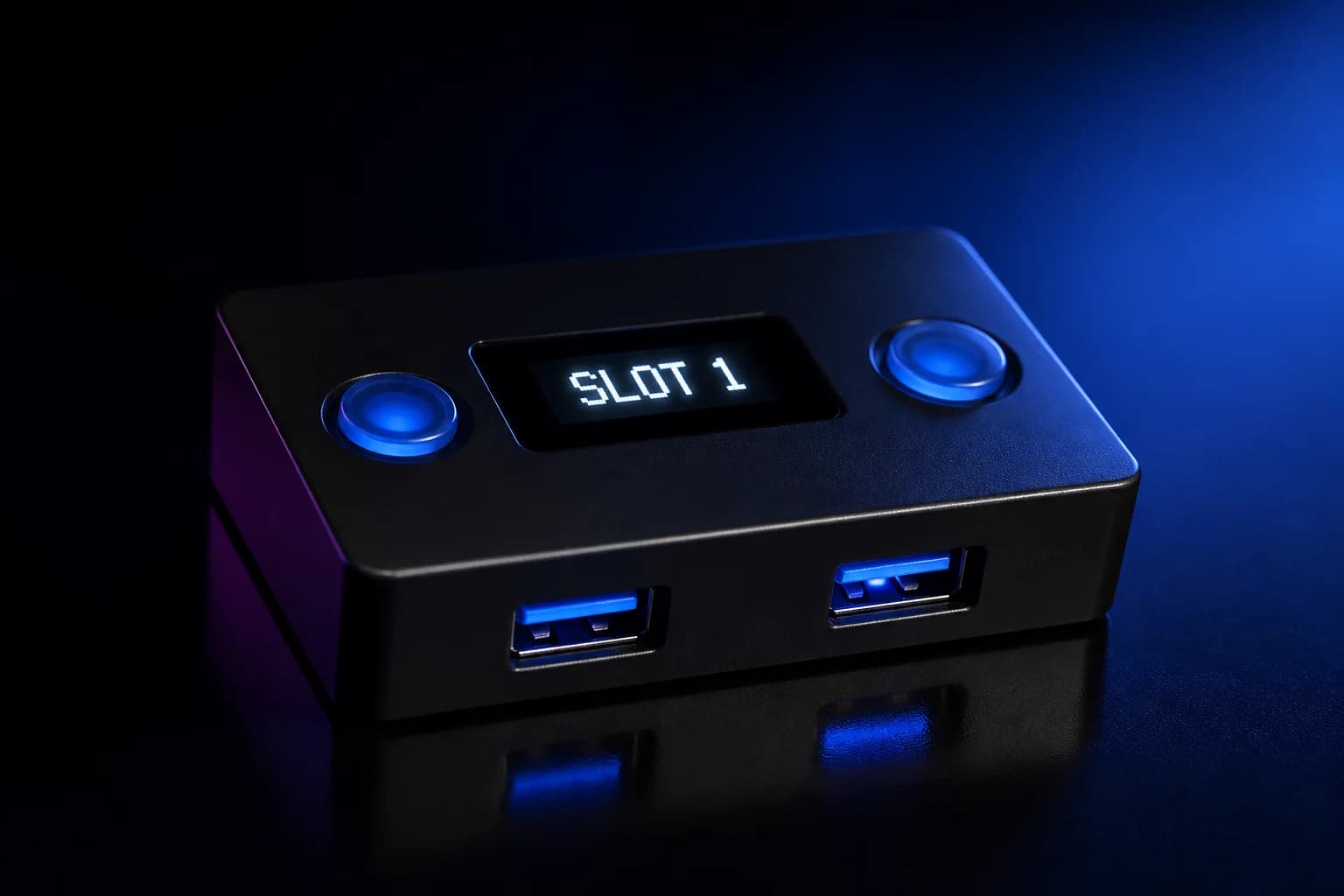
It sits between a controller and a console or PC, translates the controller's protocol so it works across platforms, and runs GamePacks or GPC scripts that remap, combine or automate button and stick inputs. It does not modify game files or read game memory. Read the guide →
02Does the Cronus Zen work on PS5 in 2026?
Yes, but not by plugging straight into the console. Sony firmware updates broke the direct USB handshake, so Collective Minds' supported PS5 method is the Zen LINK Wi-Fi module ($29.99) working over PS Remote Play, which needs a PSN account and 2.4 GHz Wi-Fi. Read the guide →
03Do I still need an authentication controller?
On Xbox Series X|S and Xbox One, yes: an official Xbox controller in port A1 authenticates the Zen. On PS4 the original DualShock 4 can authenticate. On PS5 the old wired auth path no longer works; the supported route is Zen LINK. Read the guide →
04Which software do I use: Zen Studio Live or Zen Studio Legacy?
Start with Zen Studio Live, the browser-based version that runs in Chrome or Edge on Windows, macOS, Linux and ChromeOS. The Windows desktop app is now labelled Legacy; since version 1.7.0 its Programmer and M&K tabs are disabled on firmware newer than 2.2.14, but Device Monitor and the plugins still make it worth installing. Read the guide →
05Does Zen Studio run on a Mac?
Zen Studio Live does, in Chrome or Edge, because it uses WebUSB. The Legacy desktop app is Windows-only and Collective Minds does not support it under Boot Camp or virtual machines. Read the guide →
06How do I update the firmware?
Unplug everything, hold the small blue button on the underside, plug the top (CONSOLE/PC) port into your computer until the OLED shows the bootloader, then use Update Firmware in Zen Studio Live or the Legacy Firmware Update tool. Never unplug during a flash. Read the guide →
07What are GamePacks and do they cost money?
GamePacks are free, pre-built MOD sets for specific games, distributed inside Zen Studio. You drag one to a memory slot, program the device, and adjust each MOD from the OLED menu. Collective Minds states GamePacks and the GPC library will always be free. Read the guide →
08How many scripts can the Zen hold?
Eight memory slots of 32 KB each. Any mix of GamePacks, GPC scripts and remapper profiles can occupy the slots, and you switch between them from the OLED with the P1/P2 buttons. Read the guide →
09What is GPC?
GPC is the C-like scripting language the Zen runs. A script has an optional init block and a mandatory main block that loops every input poll, plus combo blocks for timed sequences. You compile it in Zen Studio and program it to a slot. Read the guide →
10Which USB port is which?
The top port marked CONSOLE (or PC) goes to the console or gaming PC and powers the Zen. The bottom port marked PROG connects to the computer running Zen Studio. A1 to A3 are the USB-A ports for controllers, an Xbox wireless adapter, or a keyboard and mouse. Read the guide →
11Why does Zen Studio say No Devices Found?
Usually the cable or port. Use a known data-capable USB-C cable, connect through the right port for the task, and try a powered hub if your PC's ports are weak. On Legacy, reinstall the drivers from the Zen Studio installer. Read the guide →
12What do the error codes E3001 and E3002 mean?
E3001 means firmware is missing or corrupt: reflash from bootloader mode. E3002 is a crash, often from a bad script or an unsupported device: unplug everything for ten seconds, then hard reset and reflash if it persists. Read the guide →
13Can I use a keyboard and mouse through the Zen?
Yes. The Zen translates mouse movement and keys into controller output using a configurable profile in Zen Studio. It also supports native keyboard and mouse passthrough on platforms that accept it. Expect tuning time. Read the guide →
14Will I get banned for using a Cronus Zen?
It depends on the game. Epic names the Cronus Zen as restricted hardware in Fortnite and issues warnings, then bans for bypass attempts. Activision's RICOCHET added Cronus and XIM detections in 2026 with non-appealable hardware bans. Other publishers rely on general fair-play rules. Read the guide →
15Is a newer Cronus Zen model coming?
No successor device exists on any official Collective Minds page as of September 2026. The current hardware is the USB-C Cronus Zen (model CM00053-C), with the Zen LINK module and DualShock 4 Back Button as accessories. Read the guide →
16How much does a Cronus Zen cost?
The official store lists the Cronus Zen at $109.99, the Zen LINK Wi-Fi module at $29.99 and the DualShock 4 Back Button at $29.99. Bundles add a longer warranty and cables. Retail prices vary. Read the guide →
17What is the warranty?
Ninety days on the base unit from the official store, one year when bought with the White Glove service or in a bundle, and a 30-day money-back return window. Units bought from other retailers follow that retailer's policy. Read the guide →
18Does the Zen add input lag?
A small amount, because inputs are read, processed and re-sent. Wired controllers, a good cable, and keeping scripts lean minimise it. Most reported lag comes from displays and wireless links rather than the Zen itself. Read the guide →
19Can I use headset chat audio through the Zen?
Only with a wired connection to the controller in most cases. On PS5, a wired headset works when the DualSense is connected to the Zen by USB. Bluetooth-paired controllers lose headset audio. Xbox headset audio depends on firmware and setup. Read the guide →
20Where do I get official help?
The official user guides at guide.cronuszen.com and guide.cronus.support, the support helpdesk at support.cronusmax.com, the Cronus forums, and the verified Cronus Community Discord server. Read the guide →