Cronus Zen setup on Xbox Series X|S: wired, wireless and crossover
Step-by-step Cronus Zen setup for Xbox Series X and Series S, including the A1 authentication controller, Xbox Wireless Adapter pairing and the official connection fix.
- Updated
Quick answer
On Xbox Series X|S the Cronus Zen connects to the console's USB port with the CONSOLE cable, and an official Xbox controller in port A1 authenticates it. Play with that controller, add an Xbox Wireless Adapter in A3 for wireless play, or plug a PlayStation or Switch controller into A3 for crossover. Set the output protocol to Xbox.
What does Xbox require that other consoles do not?
Xbox consoles only accept input from licensed controllers. The Zen satisfies this by borrowing the identity of a real Xbox controller plugged into port A1. Collective Minds calls this the authentication, or AUTH, controller. Without it the console will not recognise the Zen at all.
Two consequences follow. First, you always need at least one official Xbox controller, even if you intend to play with a DualSense or a keyboard and mouse. Second, that A1 controller must stay wired for the whole session. It can be the controller you play with, or it can sit on the shelf while you play with something else in A3.
What do I need?
- Cronus Zen with updated firmware (update guide).
- An official Xbox Series, Xbox One or Elite Series 2 controller and a USB data cable for it.
- The 3 ft USB-C cable for the Zen's top port to the console.
- Optional: the Xbox Wireless Adapter for Windows if you want wireless Xbox controllers.
- Optional: a second controller (PlayStation, Switch or another Xbox pad) for crossover.
How do I set it up, step by step?
- Update the firmware first. Open Zen Studio Live in Chrome or Edge, hold the blue button while plugging the top port into your computer, and run Update Firmware. Finish this before the Zen ever touches the console.
- Set the output protocol. In Zen Studio's device settings, choose the Xbox Series output. Auto-detect usually handles this, but forcing it removes a variable.
- Load a slot. Program a GamePack or script to slot 1 so you have something to test with. Even an empty slot works for the connection test.
- Unplug the PROG cable. The bottom port should be disconnected from your computer while the Zen is connected to the console.
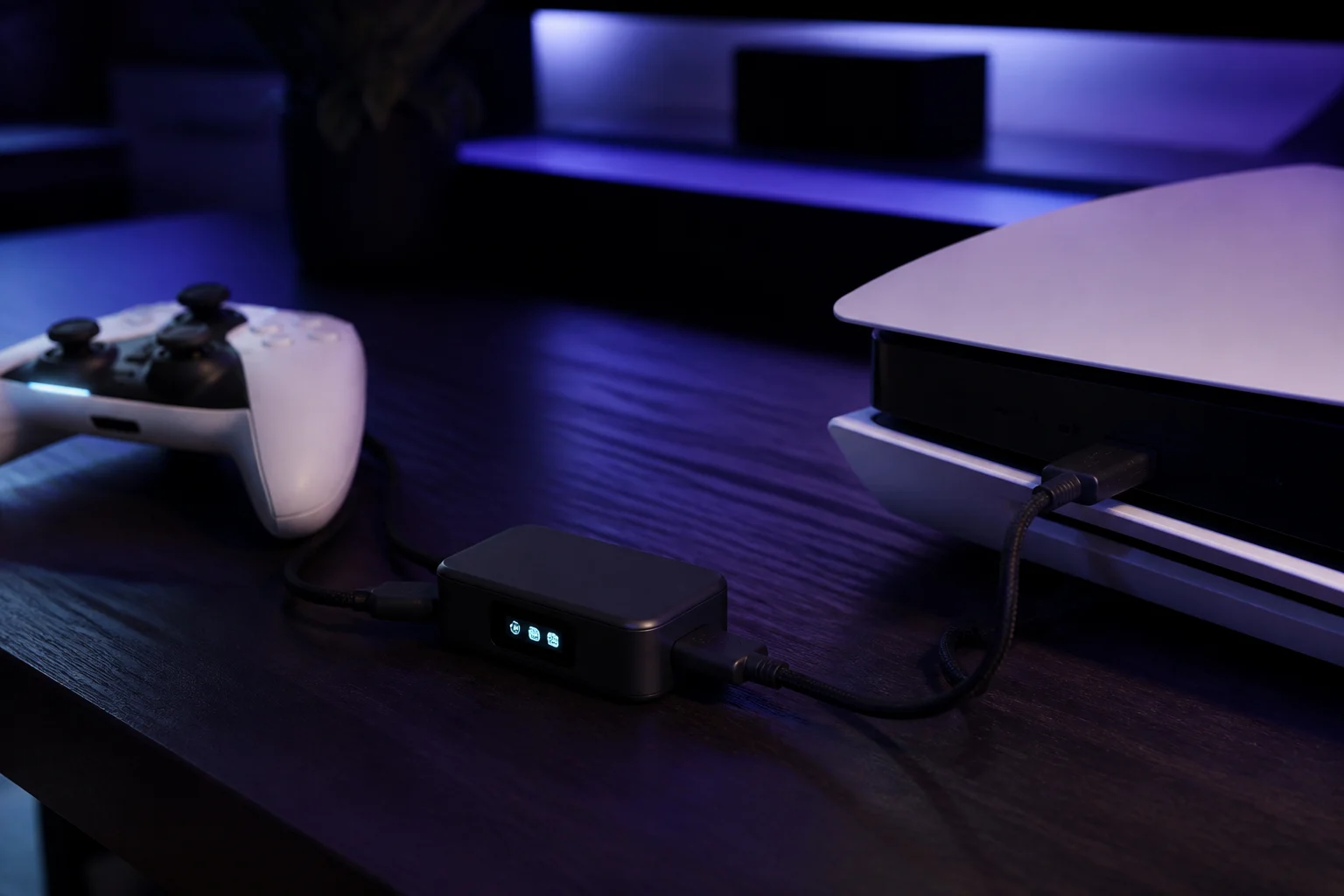
- Connect the Zen to the console. Run the USB-C cable from the Zen's top CONSOLE port to a USB port on the Xbox. The OLED lights up and shows the boot sequence.
- Plug the Xbox controller into A1. Use its own USB cable. Within a few seconds the console should register a controller and the OLED shows the connected device.
- Optional: add the Xbox Wireless Adapter to A3. Plug the adapter into A3, press the pairing button on the adapter, then hold the pairing button on your wireless Xbox controller until the light goes solid.
- Optional: add a crossover controller to A3. Plug a DualSense, DualShock 4 or Switch Pro Controller into A3. The A1 controller stays connected for authentication; your A3 controller provides the input.
- Test every input. Open the console's controller test or a game's control settings and check all buttons, both sticks and both triggers before enabling any MOD.
Matched vs crossover: which ports do I use?
| Scenario | A1 | A3 | Notes |
|---|---|---|---|
| Xbox controller on Xbox (matched, wired) | Xbox controller | empty | Simplest setup |
| Wireless Xbox controller | Xbox controller for auth | Xbox Wireless Adapter | The A1 pad can be a spare |
| DualSense on Xbox (crossover) | Xbox controller for auth | DualSense | Set output protocol to Xbox |
| Keyboard and mouse on Xbox | Xbox controller for auth | Mouse (A2 for keyboard) | Configure an M&K profile first |
Port A2 is the usual home for a keyboard when a mouse is in A3, but the front ports are interchangeable for non-authenticating devices.
Why use the Xbox Wireless Adapter instead of Bluetooth?
The official guide explains that Xbox Wireless is Microsoft's proprietary protocol operating at a higher frequency than Bluetooth, giving lower latency and better resistance to interference. The Zen supports it through the Windows adapter plugged into A3. If the wireless controller drops, the same page recommends moving the adapter away from USB 3.0 devices and Wi-Fi routers, and re-pairing.
What if the console does not detect the controller?
Collective Minds publishes a specific fix for Xbox Series X|S connection problems:
- Power cycle the console. Hold the Xbox power button for ten seconds until it shuts down fully, unplug the power cable for a minute, then reconnect and boot.
- Reconnect in order. Plug the Zen into the console first, wait for the OLED, then plug the A1 controller in.
- Hard reset the Zen if the problem persists, following the official procedure in our factory reset guide.
- Check power. If the console's USB port is weak or a hub is unpowered, controllers disconnect. A powered hub between the Zen and the console solves most of these cases.
Does headset audio work?
A wired headset plugged into the A1 controller usually carries game and chat audio because that controller is the one the console recognises. Owners have reported audio dropping on some firmware versions, and Collective Minds has not published a definitive fix at the time of writing. Our Xbox headset chat audio guide tracks the current state and the safe alternatives, such as a headset that connects to the console directly.
Is the Zen allowed on Xbox?
Microsoft's Community Standards prohibit cheating and unauthorised modifications in general terms but do not name the Zen, and there is no Xbox system-level block equivalent to Sony's. Enforcement comes from publishers: Activision's RICOCHET detects the Zen across Call of Duty and Epic issues restricted-hardware warnings in Fortnite. Details and links are in Is the Cronus Zen allowed?.
Frequently asked questions
Does the Zen work on both Series X and Series S?
Can I use a wireless Xbox controller without the adapter?
Why does my controller keep disconnecting?
Does headset chat audio work through the Zen on Xbox?
Sources
Every link was live when this guide was last updated.
- 01Xbox Series X|S supported devices (official guide)guide.cronuszen.com
- 02Xbox connection issues fix (official guide)guide.cronuszen.com
- 03Controller compatibility, USB setup (official guide)guide.cronuszen.com
- 04Xbox Wireless technology and the Zen (official guide)guide.cronus.support
- 05Wireless controller setup, non-PS5 (official guide)guide.cronuszen.com
This guide is independent and unofficial; product names belong to their owners. Found an error? Use the contact page and we will correct it and note the change.