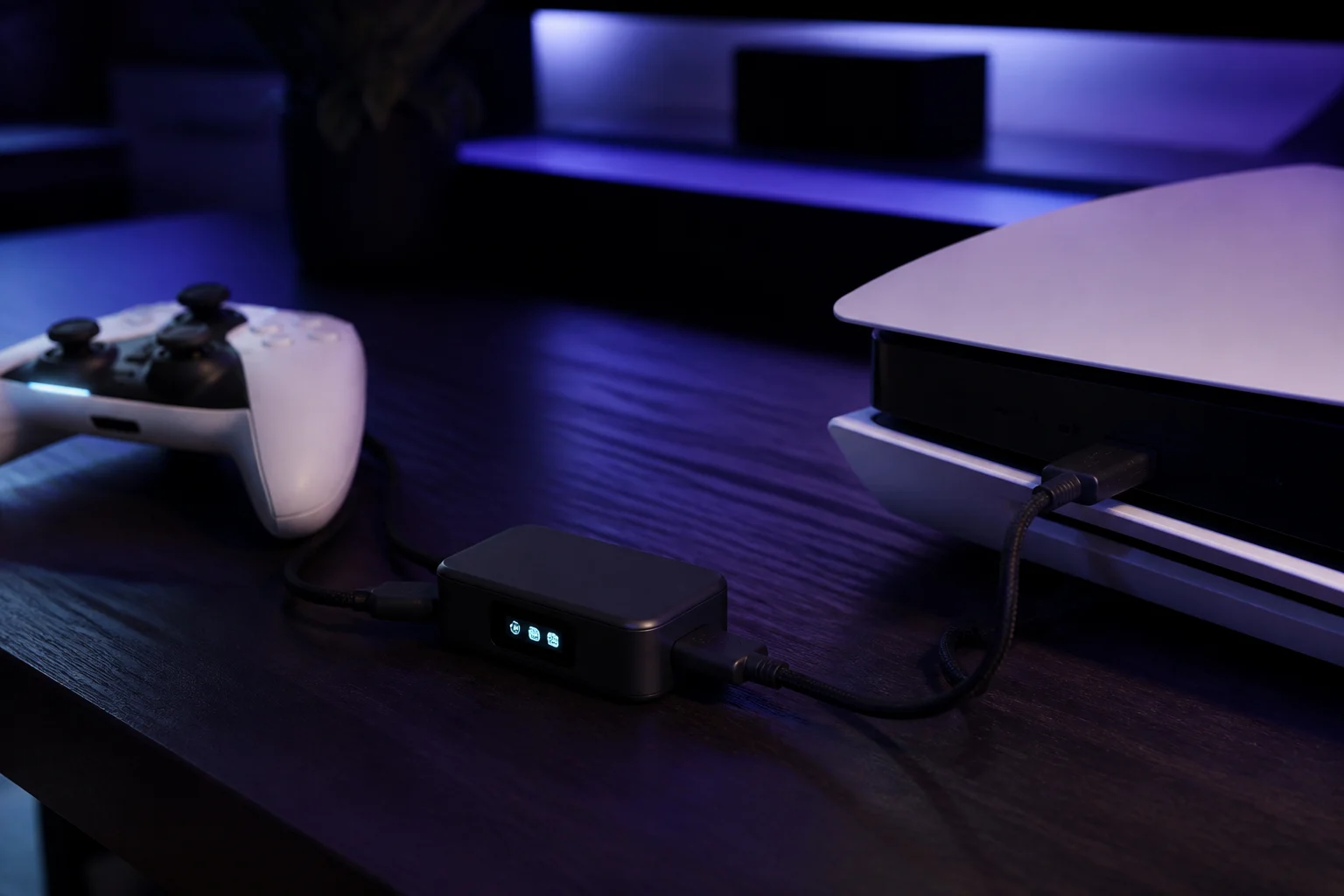
What is the Cronus Zen? A plain-English explainer
What the Cronus Zen does and does not do, what comes in the box, what every port is for, and what it costs in 2026. No hype, just the facts.
- Updated
Quick answer
The Cronus Zen is a USB adapter from Collective Minds that sits between a controller and a console or PC. It lets controllers work across platforms, remaps buttons, and runs free GamePacks or GPC scripts that automate inputs such as rapid fire. It costs $109.99, holds eight 32 KB slots, and does not modify game code.
What does the Cronus Zen actually do?
Think of the Zen as a translator with a small computer inside. Your controller plugs into the Zen; the Zen plugs into your console or PC. Everything the controller sends passes through the Zen's processor before the console sees it. That gives it three abilities:
- Cross-platform controller support. A DualSense can drive an Xbox Series X, an Xbox controller can drive a PlayStation 4, and a keyboard and mouse can be translated into stick and button input. The console only ever sees a controller it recognises.
- Remapping. Any button can be moved, duplicated or disabled without touching the game's settings. The Remapper profile type does this without scripting, which makes the Zen useful for accessibility.
- Input automation. The Zen runs GamePacks and scripts written in a language called GPC. These can hold a button, tap it rapidly, chain a sequence with precise timing, or adjust a stick value while a trigger is held.
What it does not do is equally important. The Zen never touches the game's code or memory. It has no view of the screen. Collective Minds draws this line in its own documentation, calling the Zen's features MODs rather than hacks. Whether a given publisher tolerates MODs is a separate question, covered in our guide on whether the Cronus Zen is allowed.
What comes in the box?
The current model is the USB-C Cronus Zen, listed by Collective Minds as model CM00053-C at $109.99 on its official stores. The official product page lists these contents:
| Item | Purpose |
|---|---|
| Cronus Zen unit | The adapter itself, with OLED display |
| 1 × 12 in USB-C braided cable | Short link from a wired controller to the Zen |
| 2 × 3 ft USB-C braided cables | Console/PC connection and Zen Studio connection |
| 1 × 3 ft micro-USB braided cable | For older controllers such as the DualShock 4 |
| Quick Start Guide | Printed setup summary |
| 90-day warranty | Extended to one year with bundles or the White Glove service |
Older units used micro-USB on the Zen itself. If yours does, the procedures in this site still apply; only the cable ends differ.
What is each port for?
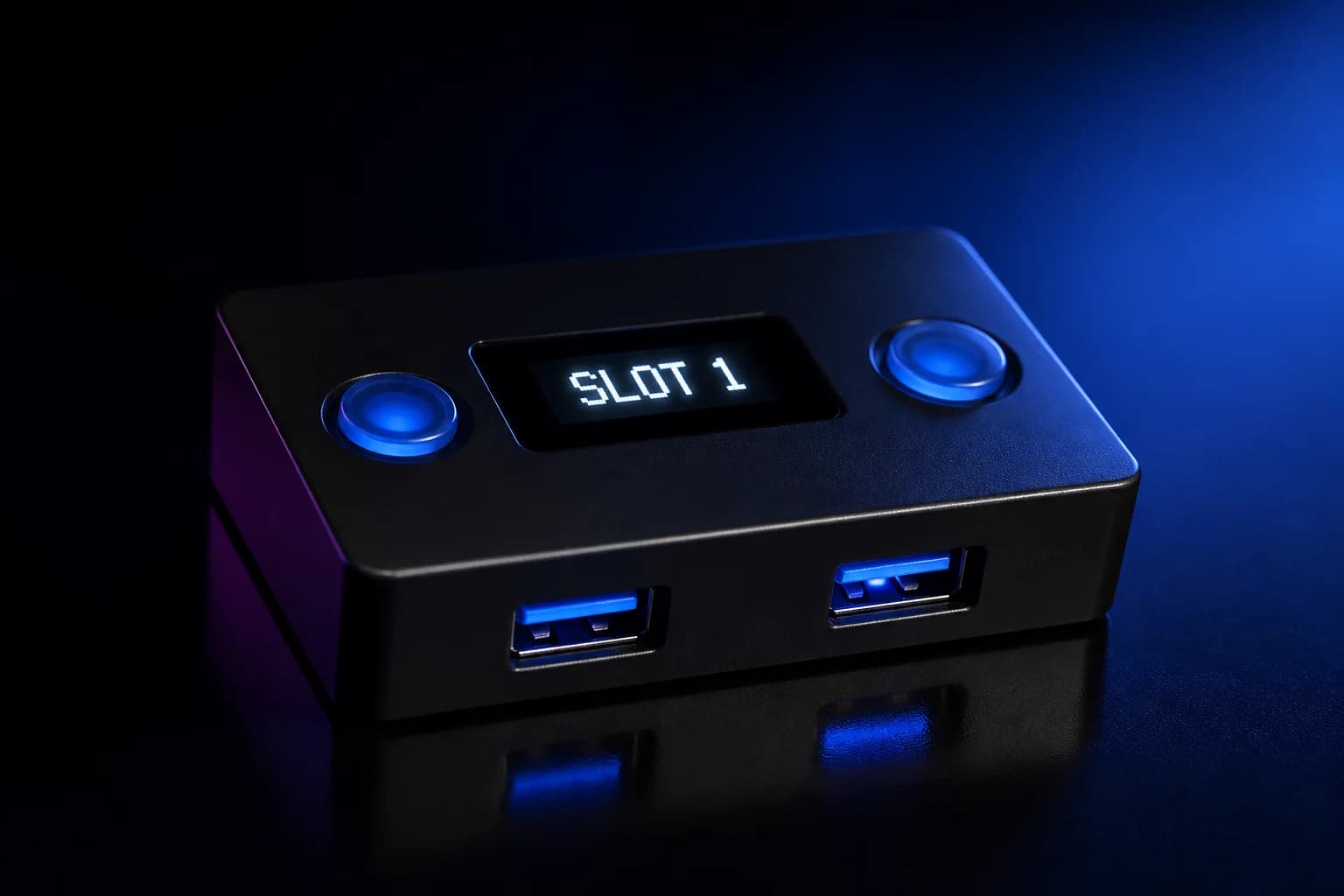
The Zen has five USB ports and three buttons. Getting the ports right solves a large share of setup problems, so it is worth memorising them.
| Port | Location | Connects to |
|---|---|---|
| CONSOLE (sometimes labelled PC) | Top edge, USB-C | The console or gaming PC. This port also powers the Zen and is used for firmware updates. |
| PROG | Bottom edge, USB-C | The computer running Zen Studio for programming slots. Unplug it for PC gaming. |
| A1 | Front, USB-A | Primary controller. On Xbox this must be an official Xbox controller for authentication. |
| A2 | Front, USB-A | Keyboard, mouse or a second device |
| A3 | Front, USB-A | Second controller, Xbox Wireless Adapter, or Zen LINK |
The P1 and P2 buttons on the top change the active slot and navigate the OLED menu; P2 also starts Bluetooth pairing. A small recessed blue button underneath enters bootloader mode for firmware recovery. Our dedicated guide to PROG vs CONSOLE ports goes deeper.
What is the OLED for?
The monochrome display shows the current slot, the connected controller, status messages and error codes such as E3001. When a GamePack is loaded, the OLED becomes a settings menu: you can enable or disable individual MODs and tune values in-game without a computer. It also renders custom output from GPC scripts, which is how some scripts show their own menus.
What software do I need?
Two versions of Zen Studio exist:
- Zen Studio Live runs in a browser (Chrome, Edge or Opera) using WebUSB, on Windows, macOS, Linux and ChromeOS. It is the current primary tool for updating firmware, compiling GPC scripts and programming slots.
- Zen Studio Legacy is the Windows desktop application, now labelled Legacy in the official downloads. The official troubleshooting pages pair build 1.6.1 Build 82 with firmware 2.2.14, and the July 2026 release 1.7.0 Build 7 disables its Programmer and M&K tabs on newer firmware. It still offers panels that Live does not, such as Device Monitor.
The Zen Studio walkthrough covers both. Firmware is updated from either tool; see how to update Cronus Zen firmware.
Which consoles does it support?
Collective Minds lists PlayStation 5, PlayStation 4, PlayStation 3, Xbox Series X|S, Xbox One, Xbox 360, Nintendo Switch, Windows PC and Android. Two caveats matter in 2026:
What are GamePacks and GPC?
GamePacks are free, pre-built collections of MODs for specific games, created by Collective Minds and community experts and distributed inside Zen Studio. You drag one into a slot, program the device, and adjust it from the OLED. Collective Minds states GamePacks and the GPC library will always be free.
GPC is the scripting language. A script has an optional init block that runs once and a mandatory main block that runs every input cycle. Our GPC scripting 101 guide writes a working script in under twenty lines.
What does it cost, and what about warranty?
| Product | Official price (Sep 2026) |
|---|---|
| Cronus Zen (CM00053-C) | $109.99 |
| Zen LINK Wi-Fi module | $29.99 |
| Zen DS4 Back Button | $29.99 |
The base warranty is 90 days. Bundles and the White Glove service extend it to one year, and the official store offers a 30-day money-back window. Units bought from other retailers follow that retailer's policy, which the official guide notes may be 30 days.
Who is it for?
Three groups get the most from a Zen: players who want one controller across several consoles, players who need remapping or one-handed layouts for accessibility, and hobbyists who enjoy writing input scripts. Competitive shooter players should read the platform policies first, because two of the largest publishers now detect and ban the device.
Where should I start?
Follow the setup hub for your platform, update firmware before anything else, and keep the troubleshooting hub handy. Most first-day problems come down to a charge-only cable, the wrong port or too little USB power.
Frequently asked questions
Is the Cronus Zen a cheat device?
Do I need a PC to use it?
Does it work wirelessly?
Is there a newer Cronus Zen model?
Sources
Every link was live when this guide was last updated.
This guide is independent and unofficial; product names belong to their owners. Found an error? Use the contact page and we will correct it and note the change.