Cronus Zen buying guide 2026: what's in the box, what to add, and what to skip
What the $109.99 Cronus Zen CM00053-C includes, when the $29.99 Zen LINK is required, whether the Back Button, a powered hub or the Xbox Wireless Adapter is worth adding, how the cronus.shop bundles compare with retail, and why there is no newer model to wait for.
- Updated
Quick answer
The Cronus Zen (CM00053-C) is $109.99 at cronus.shop and includes the device, three USB-C cables, one micro-USB cable and a 90-day warranty. PS5 owners must add the $29.99 Zen LINK; Xbox owners need an official Xbox controller for authentication. A powered USB hub is the most useful extra. No successor model has been announced.
Who should read this?
Someone deciding whether to buy a Cronus Zen and, if so, what else to put in the cart. It assumes you have read what the Cronus Zen is and, if you play online competitively, whether it is allowed in your games. This guide is about hardware and money, not policy.
Prices below are from cronus.shop as recorded on 2 September 2026. Regional stores differ; the UK store lists the Zen at GBP 99.99.
1. The Cronus Zen itself: $109.99
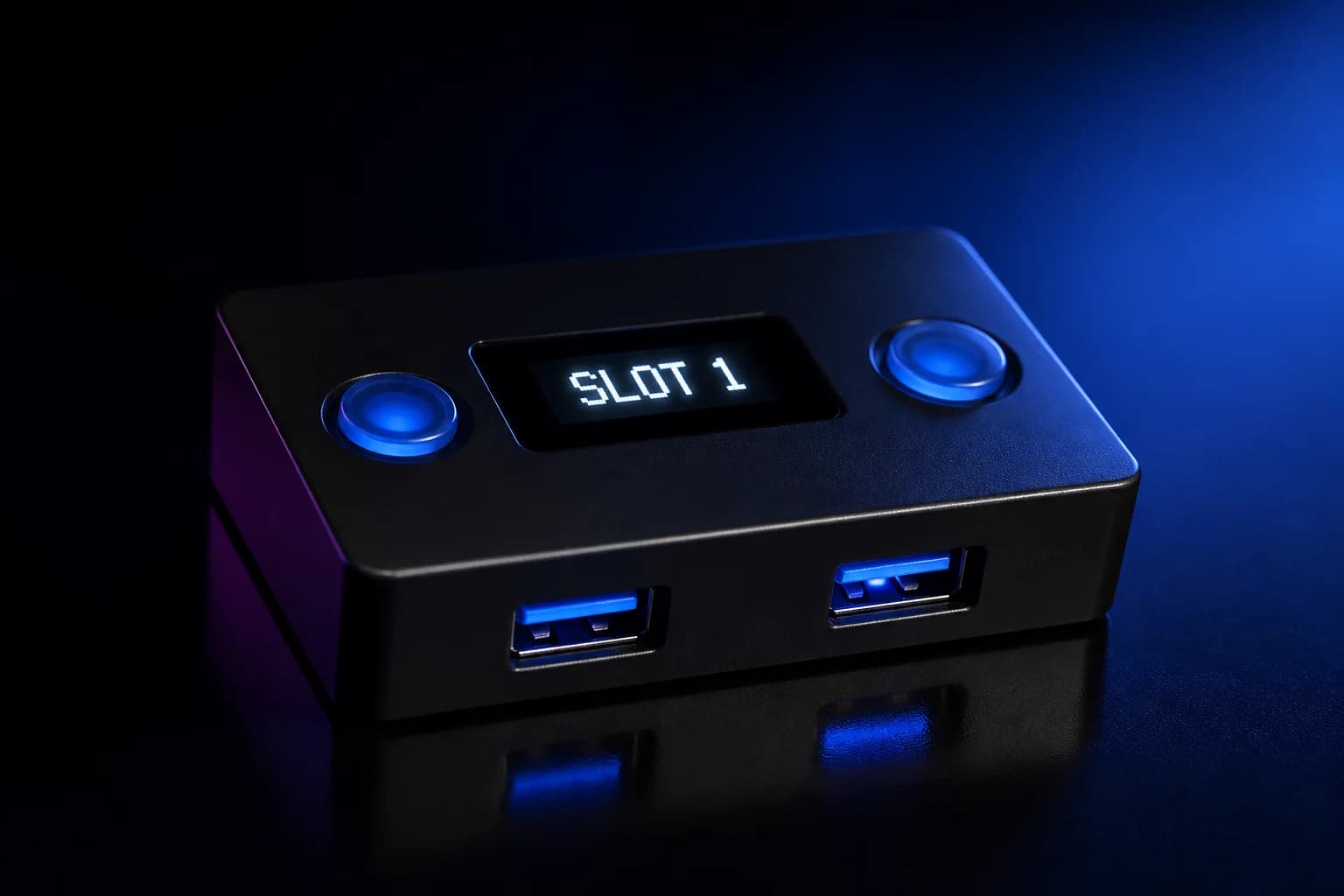
Model CM00053-C, the only current model. The base package includes:
- The Cronus Zen with USB-C ports, OLED and P1/P2 buttons.
- One 12 in USB-C braided cable.
- Two 3 ft USB-C braided cables.
- One 3 ft micro-USB braided cable for older controllers such as the DualShock 4.
- Quick Start Guide.
- 90-day warranty.
That is enough for a matched setup on PS4, Xbox, Switch or PC on day one: one long cable to the console, one to the PC for Zen Studio Live, the short one to the controller.
2. Zen LINK: $29.99, required for PS5
If you play on PS5 this is not optional. Sony's firmware blocked the direct USB path and Collective Minds' supported method is the Zen LINK module in PS5 Native Mode. It also lets you flash and configure GamePacks from a smartphone on any platform, which is a genuine convenience. Buy the current module (a V2); if you find a second-hand original, it needs a one-time upgrade. See Zen LINK V1 vs V2.
Requirements: a 2.4 GHz Wi-Fi network and, for PS5, the console settings in the PS5 guide.
3. A controller that matches your console
Two reasons. On Xbox, an official Xbox controller is required in A1 for authentication even if you play on something else. On PS4 crossover, a DualShock 4 v2 is needed as the auth controller. And for matched play, the console's own controller is the one every GamePack is tested against. If you already own one, this costs nothing.
4. A powered USB hub: the most useful extra
The Zen draws all its power from the console or PC and feeds three front ports from it. Add a charging DualSense, a lit mouse and keyboard, or a Zen LINK, and marginal ports start dropping devices. A powered hub on A2 or A3 solves it. Collective Minds sells one; any reliable powered hub works. Read power and hubs before blaming the Zen for disconnects.
5. Xbox Wireless Adapter: for wireless Xbox controllers
Xbox controllers do not pair to the Zen over Bluetooth for play; they use Microsoft's Xbox Wireless Adapter in A3, which Collective Minds describes as lower latency than Bluetooth. Only needed if you insist on a wireless Xbox pad. A cable is cheaper and faster.
6. Zen Back Button: $29.99, DualShock 4 only
Clips onto a DualShock 4 and adds four mappable paddles, configured on the Zen's OLED with no PC. It requires the Zen to work. If you play with a DS4 and want paddles, it is a tidy option; if you use a DualSense or Xbox controller, it is not for you.
7. Mouse and keyboard: use what you have
The Zen supports most wired USB mice and keyboards from major brands. Check the official supported-devices lists before buying anything new; devices with built-in hubs and heavy lighting are the usual problem cases. See keyboard and mouse through the Zen.
8. Bundles: Upgraded, Extended, PS5 Ultimate
- Upgraded: Zen plus White Glove 13-point pre-configuration service and a 6 ft USB-C Pro cable.
- Extended: Upgraded plus a one-year warranty.
- PS5 Ultimate: Zen plus Zen LINK, White Glove for both, and a one-year warranty.
White Glove means the unit arrives updated and tested, which removes the first-day firmware step. The one-year warranty is the other benefit. Bundle totals were not readable in the page text we captured, so compare against buying the parts separately on the day. Full warranty terms are in warranty and returns.
9. Retail versus direct
The Zen is also sold at big-box retailers. Retail can be convenient, but the official guide notes third-party purchases may carry only a 30-day warranty, against 90 days to a year direct, and the 30-day money-back guarantee is a cronus.shop policy. If price is equal, direct is the safer purchase.
10. What to skip
- Anything advertised as a next-generation Zen. No such product exists. The hardware is the CM00053-C; new capability comes through firmware.
- Paid script subscriptions as a condition of using the device. Zen Studio Live, the GPC compiler and the GamePack library are free. This site does not review or link to paid script vendors.
- A second Zen for a second console. One device switches consoles by changing the output protocol; only the cable moves.
- Charge-only USB-C cables. The box cables are data cables. Replacement cables must be too.
A simple shopping list by platform
| Platform | Buy |
|---|---|
| PS4, Xbox, Switch, PC | Zen; the console's own controller |
| PS5 | Zen + Zen LINK; DualSense; wired Ethernet for the console recommended |
| Mouse and keyboard on any console | Zen (+ Zen LINK on PS5) + powered hub |
| Wireless Xbox controller | + Xbox Wireless Adapter |
| DualShock 4 paddles | + Zen Back Button |
Before you order
Read Is the Cronus Zen allowed?. Activision, Epic and others restrict the device in their competitive titles, and Sony's PS5 stance has shaped the whole PS5 setup. The Zen is a capable, well-documented adapter for the uses those policies leave open; buying it with clear eyes about the rest is the point of this guide.
Frequently asked questions
Is there a newer Cronus Zen coming?
Do I need Zen LINK?
Is a bundle worth it?
What controller should I buy with it?
Sources
Every link was live when this guide was last updated.
This guide is independent and unofficial; product names belong to their owners. Found an error? Use the contact page and we will correct it and note the change.